Role
UX Design Lead
Duration
6 Months
Screens
70+ UI Screens
Main Objectives
Problem Statement
The legacy EasyShip platform faced usability and operational challenges due to its outdated Delphi 6 architecture, inconsistent navigation, complex workflows, and limited scalability. The application lacked a unified experience aligned with DHL’s Northstar vision and DUIL (DHL UI Library), while also needing to support enterprise requirements such as quick turnaround for power users, manage shipments, save drafts and clear statuses. An easy-to-use, keyboard-first interface with minimal scrolling, mandatory and auto apply global shipment rules, localized configurations, hardware integrations, and batch processing. DHL required a modern, accessible, and scalable solution to improve usability, efficiency, and future adaptability.
Approach & UX Process
The project followed a user-centered design approach focused on understanding operational pain points and improving workflow efficiency across global users and enterprise teams. UX methodologies included stakeholder workshops, user interviews, journey mapping, task analysis, usability testing, and iterative design validation sessions.
Role & Activities Involved
Design lead - handle a team of 3-4 designers
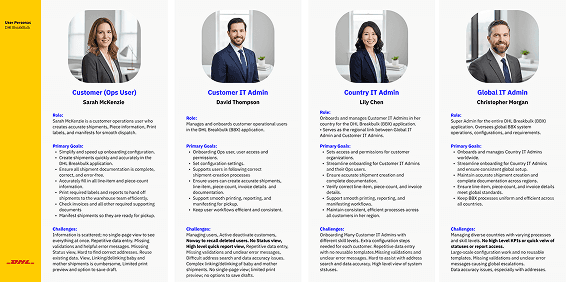
Conducted User interviews & workflow discovery
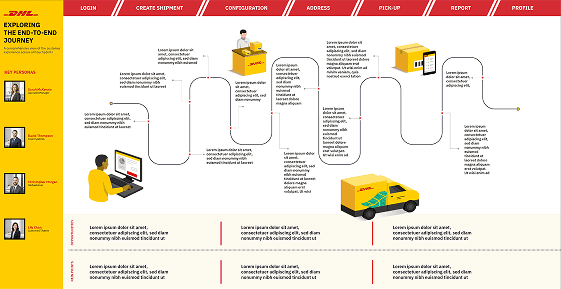
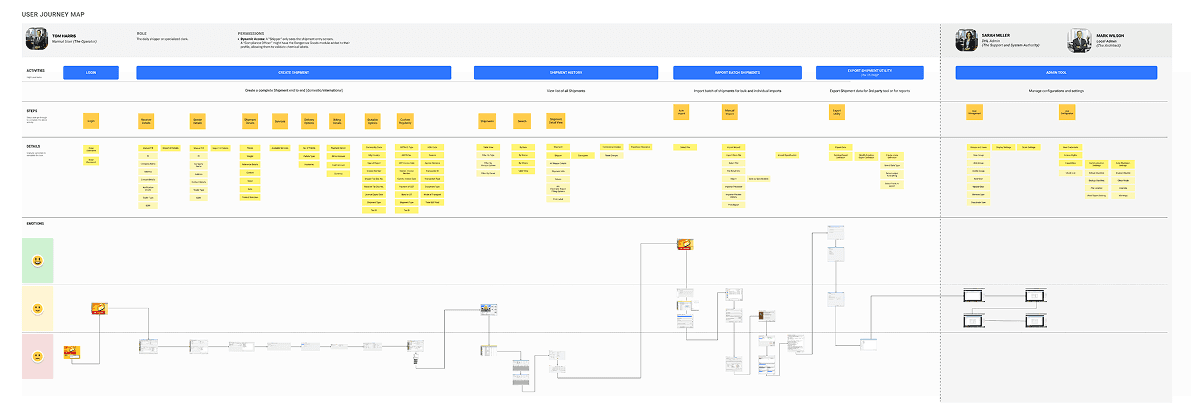
As-Is journey mapping & pain-point analysis
To-Be workflow creation
Information architecture & interaction design
UI Screens
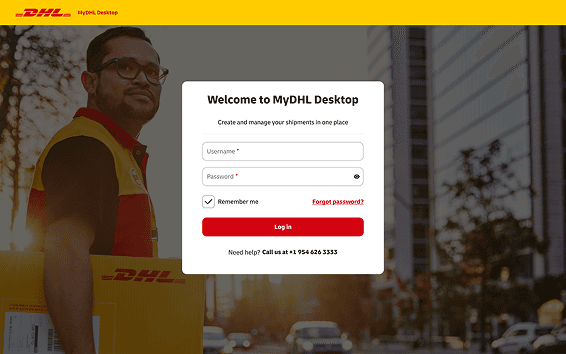
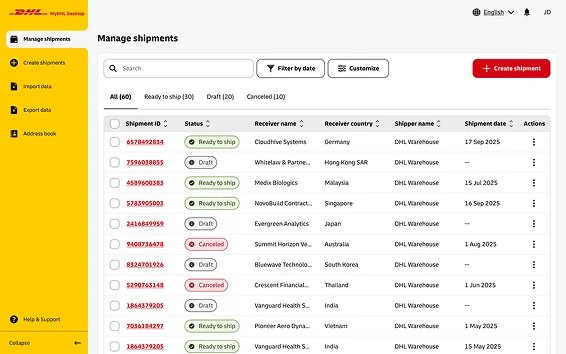
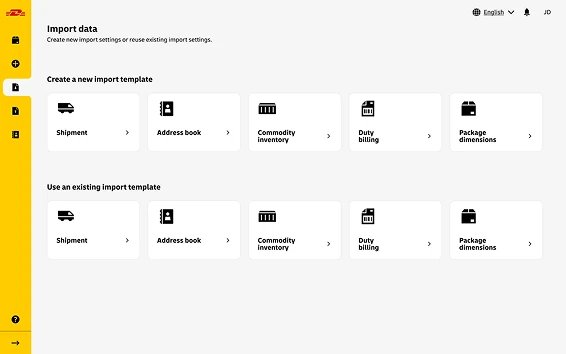
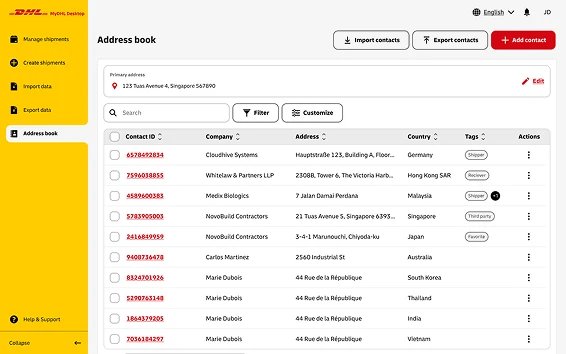
The redesigned MyDHL Desktop Application introduced a modern and unified interface aligned with DHL’s Northstar vision and powered by the DUIL component library. More than 70 high-fidelity screens and interactive prototypes were created to support critical shipping workflows, enterprise configurations, and operational integrations. Ensuring consistency, efficiency, and usability across the platform. Common design patterns such as navigation systems, notifications, and user profile management were standardized to create a seamless experience across DHL applications. The project also included all UX methodology and implementation, interaction design refinements, and three levels of UX/UI review to ensure quality, accessibility, and alignment with enterprise standards.
Key Tasks
Identified and aligned key workflows and operational tasks with stakeholders
Designed overall application wireframes and workflow structures
Created detailed wireframes for shipment creation, configuration, tracking, and batch processing workflows
Conducted iterative design reviews and incorporated stakeholder feedback
Documented design decisions, usability improvements, and change management updates
Supported accessibility testing and validation in collaboration with IBM Accessibility Studio
Designed for enterprise integrations including scanners, printers, and shipment processing tools
Approach & UX Process
The project followed a user-centered design approach focused on understanding operational pain points and improving workflow efficiency across global users and enterprise teams. UX methodologies included stakeholder workshops, user interviews, journey mapping, task analysis, usability testing, and iterative design validation sessions.
Key Deliverables





Impact
The redesigned EasyShip application established a scalable UX foundation for DHL’s future desktop experiences while significantly modernizing a business-critical enterprise platform.
The unified design approach improved workflow consistency, task efficiency, and usability for global users handling high-volume shipment operations. By aligning the platform with the DHL Express Design System and Northstar vision, the project also strengthened cross-product consistency and enabled easier scalability for future enhancements.